Прием-передача данных на частоте 433 МГц
| [ Скачать с сервера (145.4 Kb) ] | 05.11.2016, 13:33 |
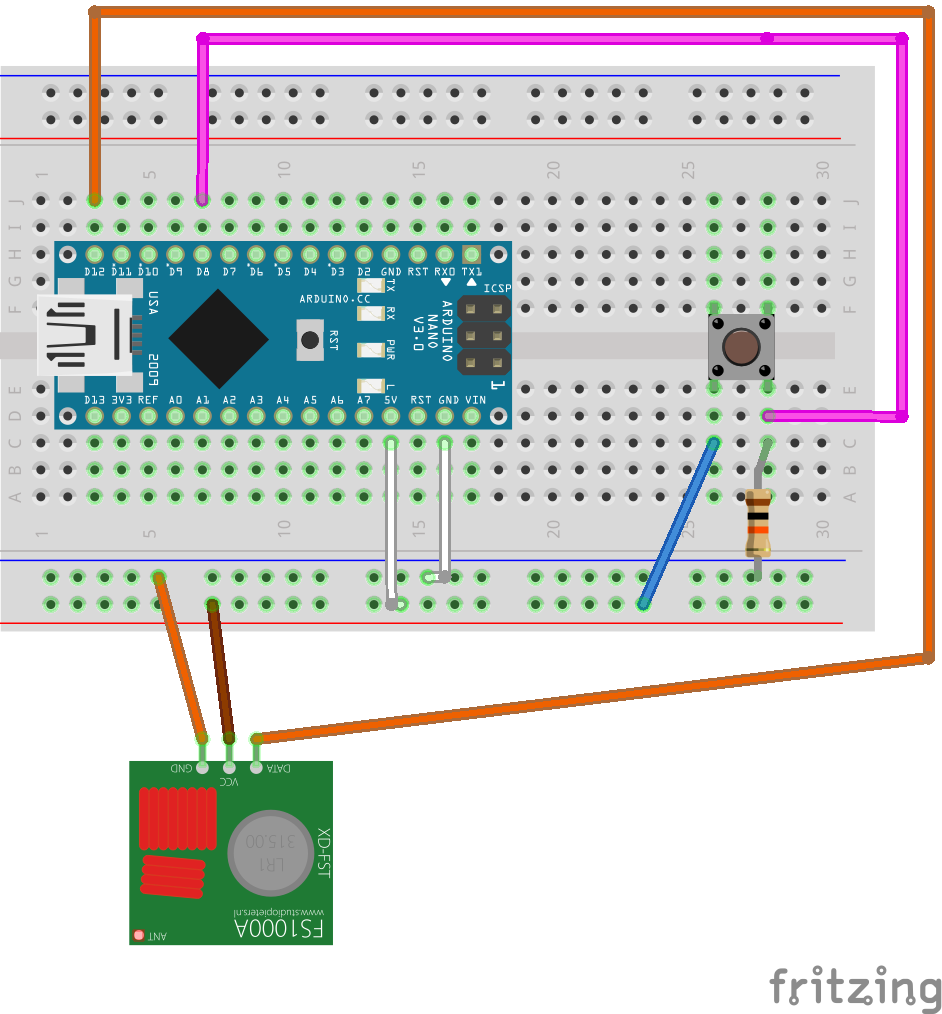
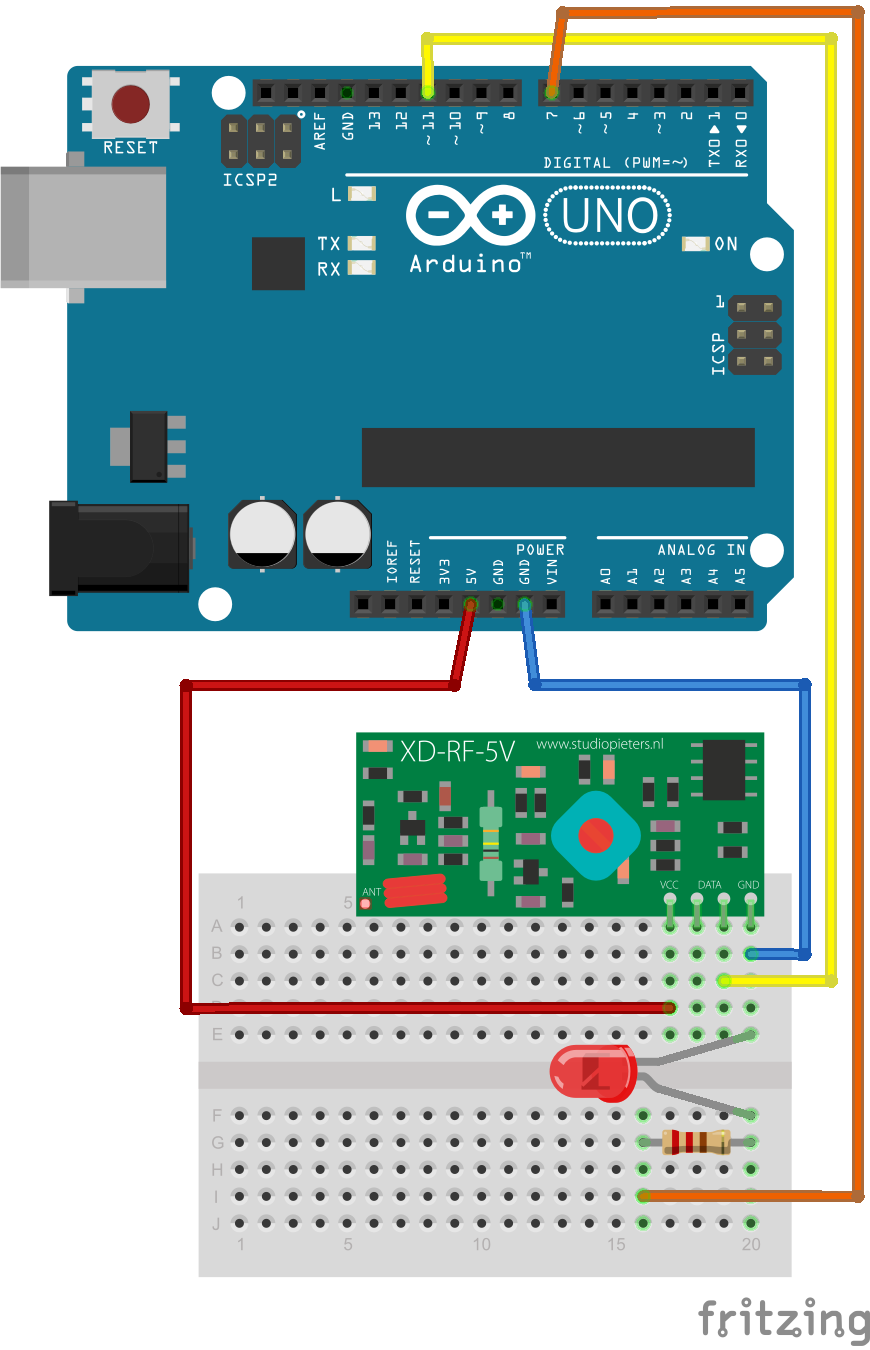
Передача и прием данных через XD-FST, XD-RF 5V на ArduinoПередатчик
/*
SimpleSend
This sketch transmits a short text message using the VirtualWire library
connect the Transmitter data pin to Arduino pin 12
*/
#include <VirtualWire.h>

int switchPin = 8;
boolean lastButton = false;
boolean currentButton = false;
boolean stateLed = false;

void setup()
{
 pinMode(switchPin, INPUT);
 // Initialize the IO and ISR
 vw_set_tx_pin(12);
 vw_setup(2000); // Bits per sec
}

void loop()
{
 currentButton = debounce(switchPin, lastButton);
 if (lastButton == false && currentButton == true) {
 stateLed = !stateLed;
 if(stateLed) {
 send("1");
 }else {
 send("0");
 }
 delay(100);
 }
 lastButton = currentButton;
}

void send (char *message)
{
vw_send((uint8_t *)message, strlen(message));
vw_wait_tx(); // Wait until the whole message is gone
}
// функция "анти-дребезга", возвращает новое текущее состояние кнопки
// pin - номер пина кнопки
// state - текущее состояние кнопки
boolean debounce(int pin, boolean state)
{
 boolean current;
 current = digitalRead(pin); // прочитаем состояние кнопки
 if( current != state ) { // если состояние кнопки изменилось
 delay(5); // подождем 5 мс пока прекратится дребезг
 current = digitalRead(pin); // и снова прочитаем состояние
 }
 return current;
}
Приемник
/*
SimpleReceive
This sketch displays text strings received using VirtualWire
Connect the Receiver data pin to Arduino pin 11
*/
#include <VirtualWire.h> //название библиотеки должно быть заключено в угловые скобки <>
byte message[VW_MAX_MESSAGE_LEN]; // a buffer to store the incoming messages
byte messageLength = VW_MAX_MESSAGE_LEN; // the size of the message
int relayPin = 7;

void setup()
{
 pinMode(relayPin, OUTPUT);
 digitalWrite(relayPin, LOW);

 Serial.begin(9600);
 Serial.println("Device is ready");
 // Initialize the IO and ISR
 vw_set_rx_pin(11);
 vw_setup(2000); // Bits per sec
 vw_rx_start(); // Start the receiver
}

void loop()
{
 if (vw_get_message(message, &messageLength)) {
 Serial.print("Received: ");
 for (int i = 0; i < messageLength; i++) {
 char c = message[i];
 Serial.print(c);
 if(c == '1') {
 digitalWrite(relayPin, HIGH);
 }
 if(c == '0') {
 digitalWrite(relayPin, LOW);
 }
 }
 Serial.println();
 }
}
| |
| Категория: Arduino | | |
| Просмотров: 1050 | Загрузок: 56 | |